
When it comes to rental properties, happy tenants mean lower turnover, a stronger reputation, and, ultimately, higher profitability. This is where multifamily property management software becomes a game-changer compared to managing your properties manually.

Tailored specifically for properties with multiple units, multifamily property management software solutions help managers streamline operations, automate repetitive tasks, and maintain clear, consistent communication with tenants. By integrating functions like rent collection, maintenance tracking, and tenant communication into a single platform, multifamily property management software empowers managers to enhance tenant experience while also reducing costs and improving operational efficiency—which is a big plus in today’s world where costs are consistently rising.
With a wide variety of property management software options on the market, with many of them seeming to have the same or similar features, choosing the right software can seem daunting (how are you supposed to choose from hundreds of different offerings in a single Google search?)
But when you understand the core benefits, key functionalities, and best practices for implementation can guide you in selecting a solution that aligns with your property management needs. In this article, we’ll walk you through how to leverage multifamily property management software to improve tenant retention, optimize operations, and secure a reliable return on investment.
How to Enhance Your Operations With Property Management Software for Multifamily
If you’re managing multifamily properties—like apartments, condos, or townhomes—you already know that staying organized is essential. Multifamily rental property management software can help you do just that by centralizing all the tasks that keep your properties running smoothly, like handling maintenance, finances, and tenant communications. It’s the ultimate toolkit for property managers looking to streamline operations and improve tenant satisfaction.
With features like automated rent collection, maintenance request tracking, and integrated financial reporting, property management software can transform how you manage day-to-day tasks for your hospitality business.
In many cases, implementing property management software can significantly reduce costs for accommodation providers by automating certain tasks and reducing the time it takes for others by streamlining processes. For instance, even though Aussie Chillout doesn’t fit into the category of multifamily property management, there are still similarities in how Newbook reduces costs for this business owner—namely by automating communications for guests (which could easily be done for tenants as well), which saves the business owner time and money.
What is the Difference Between Multifamily Property Management Software and Standard Property Management Software?
The main difference between multifamily property management software and regular property management software lies in the features and functionalities tailored to address the specific needs of managing multiple residential units within a single complex, like apartments or condos, as opposed to single-family homes or smaller rental portfolios.
Here’s how multifamily property management software stands out:
Unit and Tenant Management at Scale
- Multifamily Software: Designed to manage multiple units within one property, including tenant communication and lease tracking across hundreds of individual apartments or condos. It streamlines processes like tenant move-ins and move-outs, as well as large-scale lease renewals.
- Regular Software: This software primarily focuses on managing individual rental units or small portfolios, where each unit might have its unique set of tasks. It is typically less equipped to handle the scale of tenant interactions needed in a multifamily setting.
Enhanced Communication Tools
- Multifamily Software: Includes built-in tools for efficient communication with multiple tenants at once, including bulk messaging, community updates, and event announcements, allowing managers to coordinate easily with a large number of residents.
- Regular Software: Usually offers standard communication features, like one-on-one messaging, which works well for single-family or small portfolio management but lacks the scale for multifamily communities.
Comprehensive Maintenance Management
- Multifamily Software: Allows for bulk maintenance scheduling, tracking, and prioritization of work orders across multiple units within the same property. Tenants can submit requests directly, and managers can assign tasks to maintenance staff, optimizing response times and satisfaction.
- Regular Software: This provides maintenance tracking but typically lacks bulk capabilities and real-time tracking across numerous units. This makes it suitable for properties with fewer tenants or individual homes where maintenance needs are more sporadic.
Common Area Management
- Multifamily Software: Specifically designed to manage common areas such as gyms, pools, lobbies, and shared spaces, often with tools for booking and maintenance scheduling. It can also track facility usage and send notifications about shared space availability or closures.
- Regular Software: Doesn’t typically include features for shared space management, as single-family homes and small portfolios rarely require these.
Scalability and Data Analytics
- Multifamily Software: Offers analytics tools to track key metrics like occupancy rates, rental income, and maintenance costs across all units in a property, providing insights into the overall performance of the multifamily complex.
- Regular Software: Provides general analytics but may lack the detailed and complex reporting needed for multifamily properties, where tracking multiple units is critical for identifying trends and optimizing operations.
Leasing and Marketing Automation
- Multifamily Software: Typically includes advanced marketing integrations for advertising multiple units across platforms, as well as leasing tools for tenant screening, application tracking, and lease renewals—all geared towards minimizing vacancies and managing high tenant turnover.
- Regular Software: Often includes basic leasing features but lacks advanced marketing and vacancy management tools, which are essential for properties with high unit turnover.
Benefits of Property Management Software for Multifamily Homes

1. Streamlined Operations, All in One Place
Managing several units across different properties can quickly become overwhelming. Multifamily software helps you keep everything in one place—tenant applications, rent payments, maintenance requests, and more—by automating repetitive tasks and providing a single hospitality platform to manage them all. This lets you spend less time juggling files or switching between systems and more time on what matters most.
2. Better Tenant Communication
Good communication is key to keeping tenants happy, and multifamily property management software makes it easy. Many platforms have built-in communication tools, so you can send announcements, updates, or reminders with just a few clicks. Tenants can also use the platform to submit maintenance requests or ask questions, keeping communication organized and easy to access.
3. Simplified Finances and Reporting
Keeping tabs on finances is crucial, and this software helps you track rent payments, manage expenses, and generate financial reports all in one go. With automatic rent reminders and secure payment options, you can streamline billing and ensure tenants always know when their payment is due. Plus, easy access to reports means you’re only a few clicks away from checking your properties’ financial health anytime you need.
4. Stay on Top of Maintenance Requests
Maintenance is a big part of keeping tenants happy and ensuring properties stay in good shape. With multifamily property management software, tenants can submit maintenance requests online, and you can assign work orders right away. Tracking progress is easy, so you can make sure issues get resolved quickly, keeping both your tenants and properties in top condition.
5. Smoother Tenant Screening and Leasing
The software often comes with tools to help screen tenants, manage lease renewals, and simplify the leasing process. It makes it easy to assess applicants and reduce vacancy times by quickly finding the right fit. Going paperless is a bonus, too, as digital leases save time and appeal to tenants who appreciate convenience.
6. Secure and Compliant Data Handling
With sensitive tenant information on file, data security is crucial. Multifamily software provides secure encryption and access controls to protect tenant data, helping you stay compliant with data privacy rules. Today, ensuring data security isn’t just about ticking a box; it’s about safeguarding trust and meeting legal requirements.
Multifamily property management software isn’t just a timesaver; it’s a way to boost tenant satisfaction, streamline finances, and make informed decisions with ease. With so many options available, it’s about finding the right fit for your needs, giving you more time and control over your properties, and taking the hassle out of daily operations.
7. Improved Vacancy and Channel Management
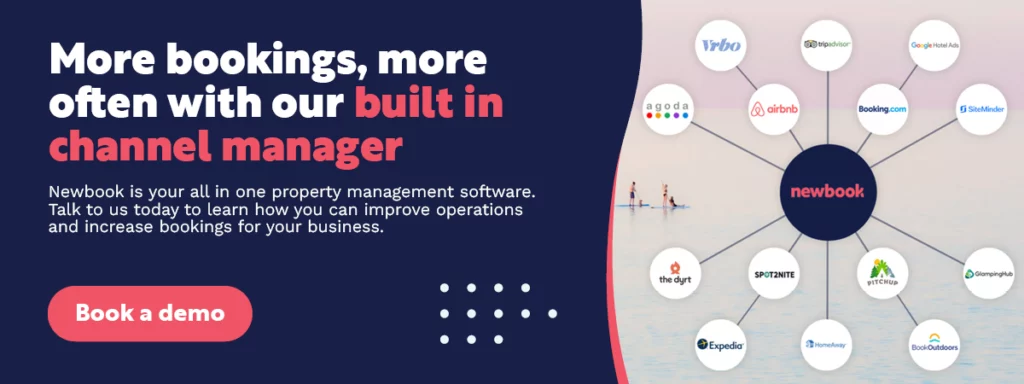
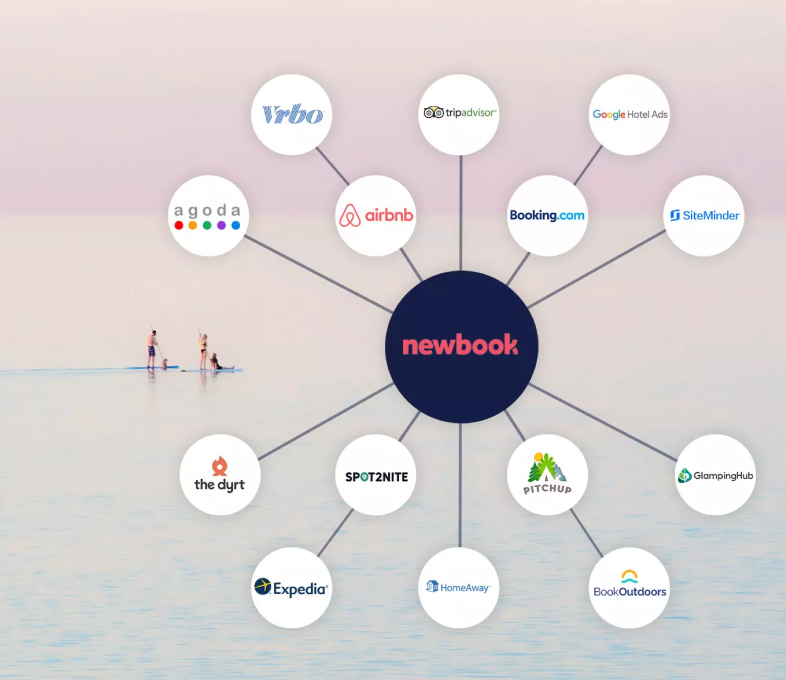
Effective marketing and quick turnover are essential to minimize vacancies, and multifamily property management software can help streamline this process. Many platforms, including Newbook, include channel management tools that allow you to list available units across multiple websites with just a few clicks. Additionally, vacancy management features can track applicant flow, helping you target potential tenants more effectively and fill vacancies faster.
More bookings, more often with our built in channel manager
Newbook is your all in one property management software. Talk to us today to learn how you can inprove operations and increase bookings for your business.

8. Enhanced Resident Retention Through Personalized Services
Resident retention is key to maintaining occupancy and revenue. Multifamily property management software allows you to personalize communication, offer rewards, and organize events to engage residents. By keeping track of tenant anniversaries, birthdays, or preferences, you can provide personalized services that make residents feel valued and encourage longer leases.
9. Data-Driven Decision Making
Having centralized data on tenant behavior, property performance, and financial health can provide powerful insights. Multifamily property management software often includes analytics features that help you identify trends, forecast expenses, and track key metrics like occupancy rates, rent collection, and maintenance costs. These insights empower you to make data-driven decisions that improve property operations and support long-term growth.
Choosing the Right Multifamily Property Management Software
Selecting the right property management software for multifamily homes requires careful evaluation of features that cater to your operational needs. Here are some key factors to consider:
| Key Criteria | Details |
| Data Security | Look for compliance with standards (e.g., SOC 2, ISO 27001)End-to-end encryption & role-based accessRegular updates to address vulnerabilities |
| Ease of Use | User-friendly interface with customizable viewsTraining resources & customer supportMobile accessibility for remote or on-site work |
| Compatibility with Existing Apps | Integrations with tools (e.g., QuickBooks, CRM)API availability for custom integrationsScalability to grow with your portfolio |
| Key Functionalities | Automated rent collection & financial trackingTenant & lease management featuresMaintenance request system with mobile accessMarketing and vacancy management tools |
| Cost and ROI | Choose software within budget and suited to your needsUtilize free trials or demosEvaluate ROI from potential savings, efficiency gains, and streamlined operations |
Data Security
- Importance of Security: Multifamily property management software handles sensitive tenant and financial data, so choosing a platform with robust security is essential. Look for software that complies with industry standards like SOC 2 or ISO/IEC 27001, which focus on data protection and privacy.
- Encryption and Access Controls: Ensure the multifamily rental property management software offers end-to-end encryption for data both at rest and in transit, keeping information secure from unauthorized access. Additionally, role-based access controls can help limit access to sensitive data, so only relevant team members can view certain information.
- Regular Security Updates: Choose software that provides regular updates to address security vulnerabilities and comply with changing regulations.
Ease of Use
- User-Friendly Interface: Intuitive and user-friendly multifamily rental property management software reduces staff’s learning curve and encourages consistent use. Look for platforms with clear dashboards, easily navigable menus, and customizable views that allow staff to personalize their workspace.
- Onboarding and Training: Many vendors offer onboarding and training services to help teams get acquainted with the software. Opt for a provider with comprehensive training resources and responsive customer support to help staff adopt the software smoothly.
- Mobile Accessibility: If your team works on-site or remotely, a mobile-compatible platform can be essential. Mobile access allows staff to handle maintenance requests, review tenant information, and track payments directly from their devices, which increases responsiveness and efficiency.
Compatibility with Existing Applications
- Integration Capabilities: If your team relies on other tools like accounting software (e.g., QuickBooks), CRM systems, or marketing platforms, make sure the property management software offers integrations with these applications. Compatibility reduces manual data entry, syncs data across platforms, and streamlines workflows.
- API Availability: Multifamily rental property management software with an open API (Application Programming Interface) allows you to build custom integrations with your existing systems, providing flexibility if you have specific compatibility needs or want to build additional features.
- Scalability: Ensure the software can grow with your portfolio. Many platforms offer add-on modules for features like tenant screening, maintenance tracking, or marketing tools, so you can tailor the software as your needs evolve.
Key Features and Functionalities
- Automated Rent Collection and Financial Tracking: Automated billing, payment reminders, and financial reporting can make rent collection and accounting much easier. Look for software that generates real-time financial reports and supports various payment options, such as online banking and credit cards.
- Tenant and Lease Management: A centralized database for tenant profiles, lease agreements, and rental history helps managers keep all information in one place. Lease management tools should enable you to track lease renewals, customize lease templates, and automate notifications for lease expirations.
- Maintenance Management: The software should allow tenants to submit maintenance requests online and provide a work order system for tracking and assigning tasks. Look for platforms that offer mobile access for maintenance staff, so they can update requests on the go.
- Marketing and Vacancy Management: Software that integrates vacancy listings with popular rental sites and includes tools for tracking leads can reduce vacancy rates and attract quality tenants.
Cost and ROI
- Budget Considerations: Determine your budget and look for software that offers the features you need without unnecessary extras. Some vendors offer tiered pricing or customizable packages, allowing you to choose only the features you’ll use.
- Free Trials and Demos: Take advantage of free trials and demos to understand how the software functions and assess its suitability for your team. Demos provide an opportunity to test the software’s performance, interface, and key features before committing.
- Return on Investment (ROI): Evaluate the potential savings and efficiency gains from using the software. The right property management software can offer substantial ROI over time by reducing manual tasks, improving tenant communication, and streamlining operations.
By focusing on these core elements, you’ll be better equipped to find software that helps your team deliver a higher level of service to tenants while optimizing property operations.
Steps for Implementing Multifamily Property Management Software

Here are some important steps that you can keep in mind to help you choose the best multifamily property management software for your business:
| Steps | Details |
| 1. Setting Up | Input property and tenant data, including leases, maintenance schedules, and documents.Customize settings to align with management practices (e.g., payment terms, communication channels).Assign roles and permissions for team members. |
| 2. Training Staff | Conduct hands-on training focused on core features like tenant management, rent collection, and maintenance.Use tutorials, guides, and customer support as needed.Designate a “software champion” as an internal expert for ongoing support and knowledge. |
| 3. Tips for Smooth Transition | Implement the software gradually, starting with a few properties to test workflows.Inform tenants of changes, especially for online rent payments or maintenance requests.Provide a simple guide for tenant portal access and have regular check-ins with staff to address challenges. |
| 4. Ongoing Maintenance and Updates | Schedule regular reviews of system data for accuracy (tenant info, payment records, etc.).Stay updated with the latest software features and improvements.Utilize customer support and assess process adjustments periodically to maximize efficiency. |
1. Setting Up
- Set up your account by inputting or uploading all property and tenant information. Data like lease agreements, maintenance schedules, and other digital documentation should also be added.
- Tailor the software settings to align with your property management practices. This could include setting payment terms, configuring tenant communication channels (SMS, tenant portal), and establishing roles and permissions for team members.
2. Training Staff
- Schedule hands-on training for your team to familiarize them with essential software features. Focus on tenant management, rent collection, and maintenance tracking to help them get comfortable with daily operations. Newbook has a familiar, user-friendly interface that mimics most modern applications, meaning that staff training should be minimal for the more technically inclined.
- Provide training materials like tutorials, guides, and access to customer support as needed. Newbook has a comprehensive knowledge base that you and your staff can refer to, as well as training tutorials and developer resources that you can pass along to the right team members.
- Encourage staff to continue learning, especially as new features roll out. Having at least one “software champion” on the team (someone who is an expert in the software) can also help provide quick answers to common questions.
3. Tips for Smooth Transition
- Consider rolling out the software in phases—start with one or two properties to test workflows before full implementation. Newbook is a full multifamily property management software solution, but you can still start small and scale so that your team has time to get used to it.
- It’s also important to keep tenants informed of changes, especially if they involve online rent payments or maintenance request submissions. Offer a simple guide for tenants to access any online portals.
- Establish a way for staff to report any challenges they face during the transition. Regular check-ins allow you to address issues proactively and adapt processes if needed.
4. Ongoing Maintenance and Updates
- Schedule periodic reviews of system data and processes to ensure accurate and up-to-date information. This includes regularly auditing tenant and property data, payment records, and work order status.
- Keep the software current with updates and new features provided by the vendor. Updates may include performance improvements, new integrations, or enhanced security measures.
- Engage with customer support as needed and periodically assess whether adjustments are needed to optimize the software’s impact on your operations. Newbook takes a white-glove approach to customer service—your success is our success.
Conclusion
Implementing multifamily property management software can revolutionize how you manage properties and engage tenants. With tools to streamline rent collection, track maintenance, manage leases, and ensure secure communication, the right software solution allows you to provide a seamless, high-quality experience for tenants.
It’s not just about making your job easier; it’s about building stronger tenant relationships, ensuring smoother day-to-day operations, and driving overall property success. By following the outlined steps for selecting, setting up, and maintaining your software, you can ensure a smooth transition and maximize the benefits it brings to your business. As multifamily property management continues to evolve, embracing these tools will keep you ahead in an increasingly competitive market, enhancing tenant satisfaction and supporting sustainable growth.
Reach out to Newbook Today to try the property management software tailored for multifamily and countless other hospitality business types.